Distribution

You know what you have, where it sits and when it runs out

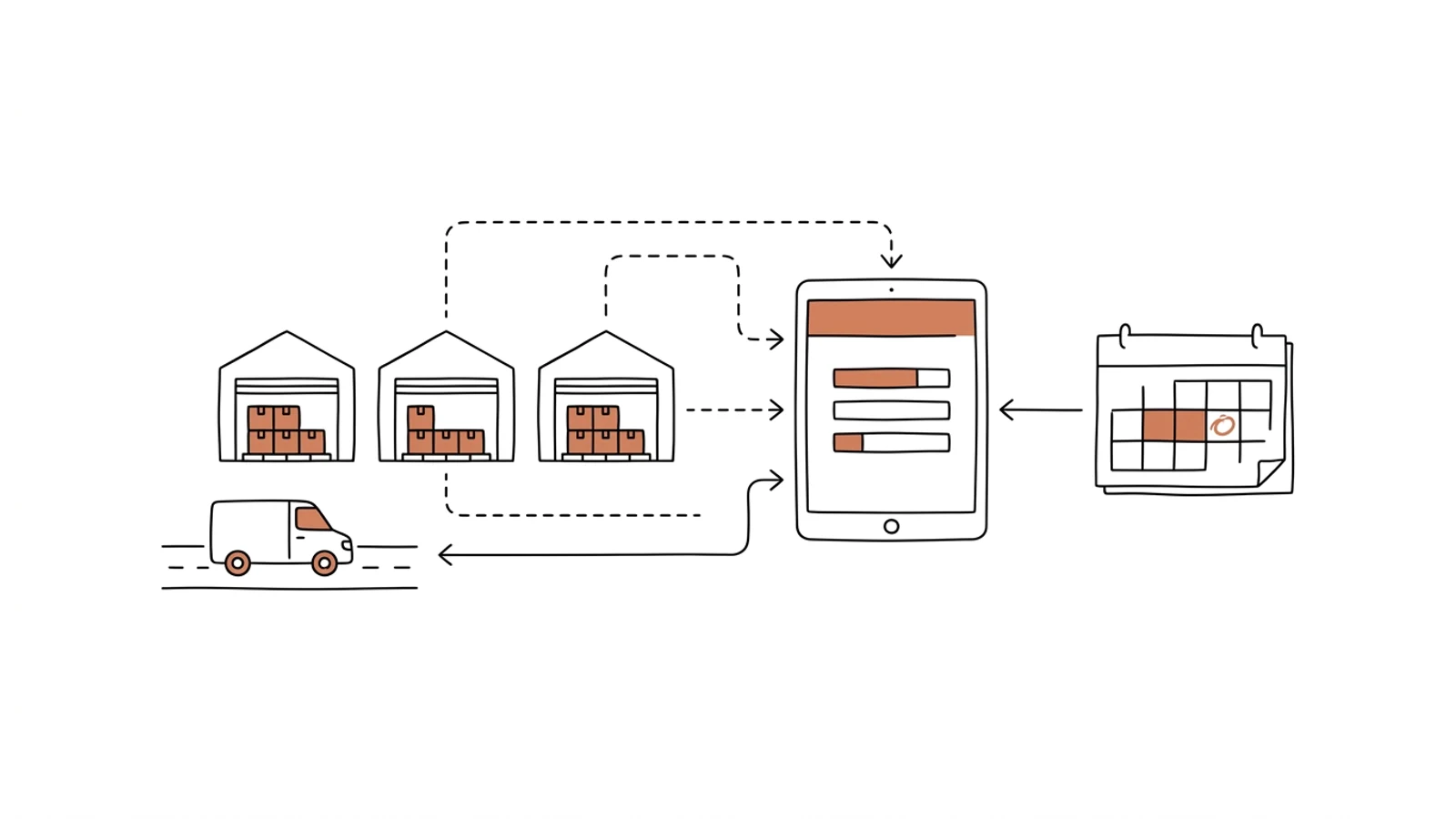
Stock in every warehouse and branch on one screen, with reservations and goods in transit. Reorder proposals calculated from turnover and supplier lead times. Transfers between branches by rules, not by phone call.

Does this sound like your warehouses?

An empty shelf in Gdańsk, a full rack in Wrocław

Same item. Gdańsk tells the customer "out of stock", Wrocław has six months' supply. Nobody compared the two, because they sit in two databases.

The supplier order is put together from memory

Once a week the manager scans the list and reorders by feel. The item that sells in season runs out halfway through, and the one that has sat for a year gets another pallet.

A branch transfer is a phone call and a transfer document two days later

The rep calls, the manager promises, the driver takes the goods "while passing". The transfer document is created when someone remembers, and until then the system stock is wrong.

Eight parts that make up the system

We fit the scope to your warehouse network: one setup for three wholesale branches with their own trucks, another for a head office with twelve branches and a central warehouse.

Stock across all locations

One screen: available, reserved, in transit, in quarantine, per warehouse and branch. The rep sees where the goods really are before promising the customer.

Reorder proposals

Reorder point and quantity calculated from turnover, season, lead time and the supplier's minimum order. The buyer gets a list to approve, not a blank sheet.

Transfers between branches

A transfer proposal when one branch has a surplus and another a shortage. The document is created at the moment of decision, transport is planned from the list, stock updates on scan.

Allocating goods to orders

Rules you set: nearest warehouse, shortest lead time, oldest batch. The system allocates, the buyer overrides when they know better.

Batches, dates and FEFO

Batch number and expiry date at receiving, FEFO issue for food and OTC pharma, a batch blocked after a supplier claim in every branch at once.

Turnover and dead stock

Days of cover per item and location, a list of items with no movement for 90 days, capital tied up in each warehouse. You see what to mark down and what to move.

Stocktakes without closing the branch

A few locations counted every day on a scanner or a phone. A discrepancy is explained right away, not in December.

Alerts

Stock below reorder point, a batch expiring in 30 days, an item with no movement, a discrepancy after a count. To the buyer or the manager before the rep calls.

What AI does in inventory

Three years ago features like these needed a data science team. Today language models read emails, documents and photos, and we build them into the system we make for you. Below is what makes sense in this solution. A person approves, AI prepares.

Demand forecast from history

The model learns from your issues, seasons and promotions. The buyer gets a forecast per item and branch together with a reorder proposal, and approves or adjusts it.

Example an item selling 3× faster every September for three years → an order proposal in August, allowing 3 weeks for delivery

Stock anomalies

A stock drop without an issue document, repeated corrections in one location, a receipt with no purchase order. An alert with the movement history goes to the manager.

Example stock of an item drops by 40 units with no dispatch or transfer document → an alert with the last movements and who made them

Delivery documents read

A PDF, scan or photo of a delivery document becomes receiving lines with batch and expiry date. The warehouse worker checks with a scanner instead of re-keying.

Example a supplier invoice with 28 lines and batch numbers → a receiving list ready for scanning

Ask the inventory

A rep or buyer asks in plain language, the answer comes from current stock in every location.

Example "where do we have 4471 and how much can we ship to Gdańsk for tomorrow?" → Wrocław 120 units, Poznań 36 units, next transport to Gdańsk on Thursday

Effects you see in the first month

  • The rep sees stock in every branch, so they stop saying "out of stock" when the goods sit 200 km away
  • Reorders come from a proposal list, and the buyer approves them in a quarter of an hour instead of building them for half a day
  • The transfer document is created at the moment of decision, so system stock matches what is on the truck
  • A batch expiring next month goes out first in every branch, because the system enforces FEFO
What it connects to

Works with what you already have

The ERP stays the ledger of stock and documents. We add a layer that looks at every warehouse at once and suggests decisions.

Comarch ERP XLComarch Optimaenova365SAP Business OneSubiekt nexoSymfoniaWAPROStreamsoftGS1EDIZebraHoneywellBaseLinkerKSeF

From one stock screen to forecasts

The first version answers "what do we have and where". Reorder and transfer proposals follow once data from every location is flowing in.

01

Analysis and data clean-up

We check how each branch keeps its stock, which item files have drifted apart and where lead times can come from. We agree the allocation rules with the buyer and the managers.
2–3 weeks
02

One stock screen

Stock, reservations and goods in transit from every location on one screen, connected to the ERP. Reps and the buyer work in it from day one.
6–8 weeks
03

Reorders, transfers, batches

Supplier order proposals, transfers from the list, FEFO and alerts. The forecast learns from your issue history.
4–6 weeks
04

Cycle counting and further development

Counting on scanners, turnover reports, more branches. You set the queue, we ship every two weeks.
ongoing

Does your company run on Excel, emails and a system from years ago? We will build the solution that puts it in order, with AI inside from the start.

You have the diagnosis, we build the solution. Web applications, B2B portals and automations for companies without a large IT department. Today a system can read emails and documents, suggest decisions and answer customers on its own, so we build that in from the first version, not as an add-on a year later.

We agree scope, price and dates upfront, show progress every week, and the code and data stay yours.

  • scope, price and dates upfront
  • progress every week
  • your code and data

Common questions

Each branch has its own ERP database. Can that be connected?
Yes. We read stock from each database and bring the item files into one shared dictionary. The branches keep working locally, and one screen shows everything together.
Does the system order from suppliers on its own?
No. It prepares a list of proposals with quantities and reasoning, and the buyer approves or changes them. An approved order can go to the supplier by email, EDI or the supplier portal.
What about goods with expiry dates and batches?
Batch and expiry date are captured at receiving, the system issues by FEFO and blocks a batch in every branch with one click. For OTC pharma we add a batch movement report for recalls.
Do we have to stop selling during the rollout?
No. The first screen only reads data from your current systems, so nothing changes in the branches. Further parts are switched on branch by branch.
Where is the data and who owns it?
In your database, on a server in Poland or the EU. The code goes into your repository. You can change vendors at any time.

Let's talk about your inventory

You tell us how many warehouses you run and how you reorder today, we tell you which screen to start with and how long it takes.

Write to us
or email hello@udb.pl hello@udb.pl